

This post mostly consists of my personal novice experience working with hardware and mostly logging my own troubleshooting, this should NOT be treated as professional advice, and parts of this post can change at anytime.
Somewhere in 10th of August 2026 while my area is affected with thunderstorms, I had a problem with my computer particularly it is intermittently freezing, apparently with the computer not being cleaned for a long time contributed to this.
My DELL INSPIRON 3671 had been experiencing random freezes at a motherboard level, not even the keyboard indicator had been responsive and I had to force turn it off, where not even it can be properly logged through events and sometimes I’ve been experiencing ATTEMPTED_EXECUTE_OF_NOEXECUTE_MEMORY, KMODE_EXCEPTION_NOT_HANDLED and PAGE_FAULT_IN_NONPAGED_AREA bugchecks but there’s no memory dumps for it to identify the root cause for where I can read it using WinDBG. In most cases, my computer sometimes glitches with flashing screen during the freeze, although likely OS specific as Fedora has also been experiencing same freeze lock-ups, except it just freezes. SO, it’s not Windows specific.
I’ve ran through troubleshooting efforts, such as DELL Diagnostics, Windows Memory Diagnostics.. so far it reported no issues, and no my hard drive isn’t failing. Until, I found that my dedicated graphics card looks as if it’s not attached. On Windows, it reported NVIDIA GTX 1650 is under Code 45, meaning it looks as if it’s physically disconnected and not as if it’s failing to load drivers. This also means the firmware and other OS cannot recognize it, treated as physically disconnected.
However, it is intermittent, the freezes occur at random times at random intervals, which makes it quite hard to diagnose. And after multiple cold boots, sometimes my NVIDIA graphics card appears and sometimes it doesn’t. There can only be two things, either a PSU or the graphics card
As of writing this blog, although problematic PSUs can affect the system as a whole consistently and not just graphics card, it appears the stronger lead is the graphics card due to it being intermittently connecting and disconnecting, and I am going to use the computer for few months without my graphics card to see if there’s really an issue with PSU or motherboard even if the graphics card is physically removed. I will update this blog monthly.
Pre-Removal #
Before I decided to remove the graphics card physically which during that time the system was able to recognize it, I performed manual inspection of my inside of my computer, and oh boy it’s so dusty, I decided to clean my computer atleast to reduce the dust which should be enough, and ensure all components are seated. But as soon as I reattach the graphics card back to the slot, suddenly it doesn’t seem to be recognized again. And yes I still encounter freezing and lock-ups while using the computer. Interestingly, each operating system reacts differently. On Windows, it freezes, glitches the screen, and sometimes flashes, and even ends up triggering bugcheck at the end. On Linux it just freezes.
Therefore it is quite unsafe to just keep it attached. Even with dusting and reseating, it doesn’t seem to solve it, which shows the graphics card may be faulty and aging as it had been with us for 6 years.
While I can also point a finger to my PSU, unfortunately I couldn’t say as I can boot my computer just fine and the freezes are intermittent. If there is a problem with my PSU then I wouldn’t be able to use my computer at all though this depends on the condition and severity, bad PSU can affect one part of the component but usually a really bad PSU means there’s lesser or no chance of booting the computer unless replacement is issued, since the graphics card has no PSU connector as it’s PCIe pluggable only, it makes it hard to justify if that leads to a problem with the PSU.
However since this system does not support hotplugging and if we take a scenario where one plugs a PCIe peripheral in or out while the system is running, it does cause short circuits and inrush current which could trip the power supply and instantly shutdown the system, which this seems to be the case here, therefore it may not be the PSU problem but the PSU can be part of certain triggers such as instant shutdown. It’s better to be safe as I had to remove it. Because apparently even a dead card could still receive electrical currents or voltages which may treat a scenario of force hotplugging.
Removal #
To diagnose this issue, and to prevent further damage, it may not solve everything just yet but it’s a good idea to remove a faulty component. I decided to remove the graphics card and to see if the usage of the computer becomes stable within a month without freezing and lock-ups.
Before I begin, I had to order PCIe slot covers that fits on the back of my chassis. As there’s only one cover and the graphics card is covering the slot, removing it means leaving a hole.
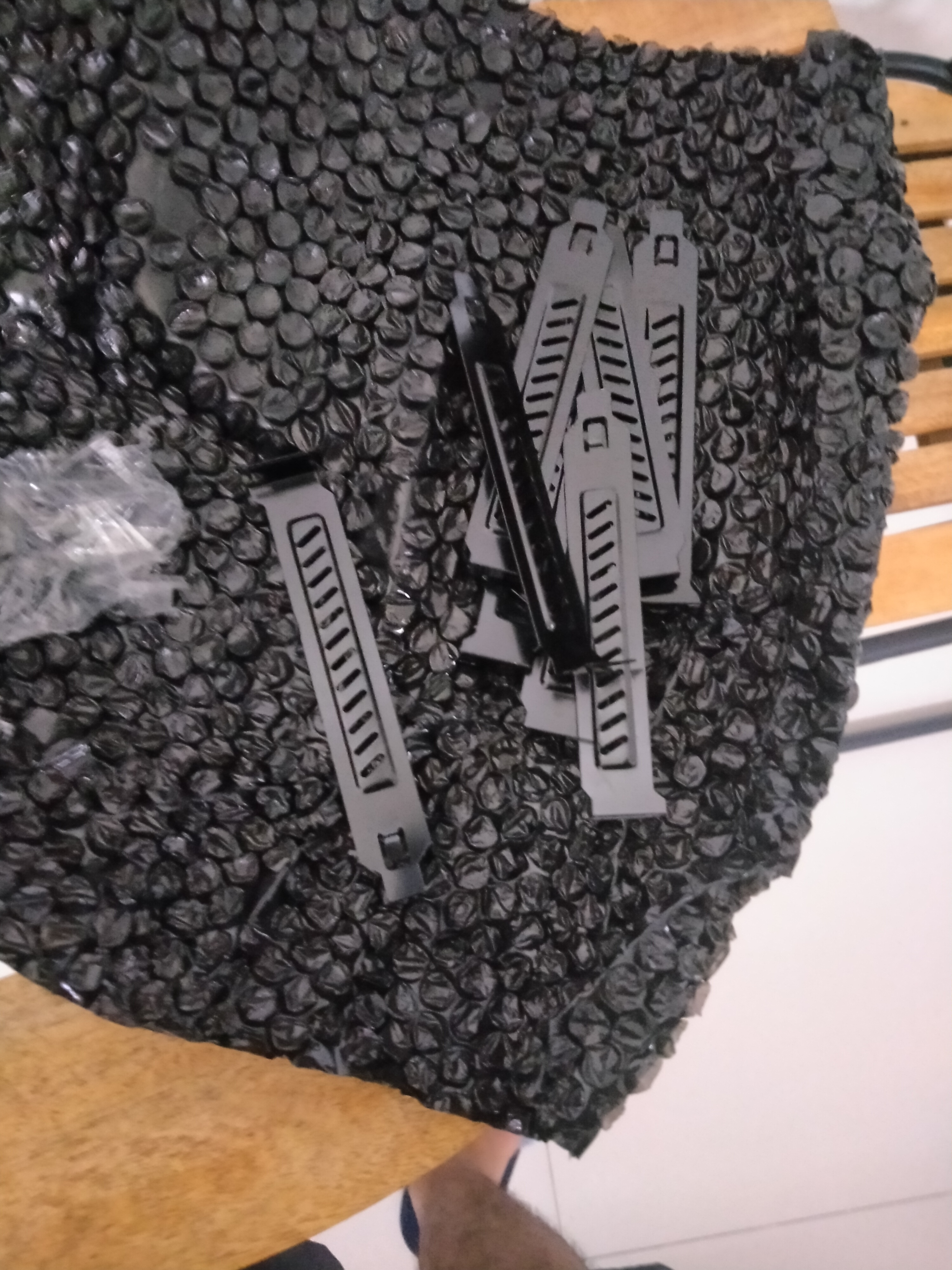
The slot cover size is 12 × 1.9 cm which should fit to my computer.
Overview #
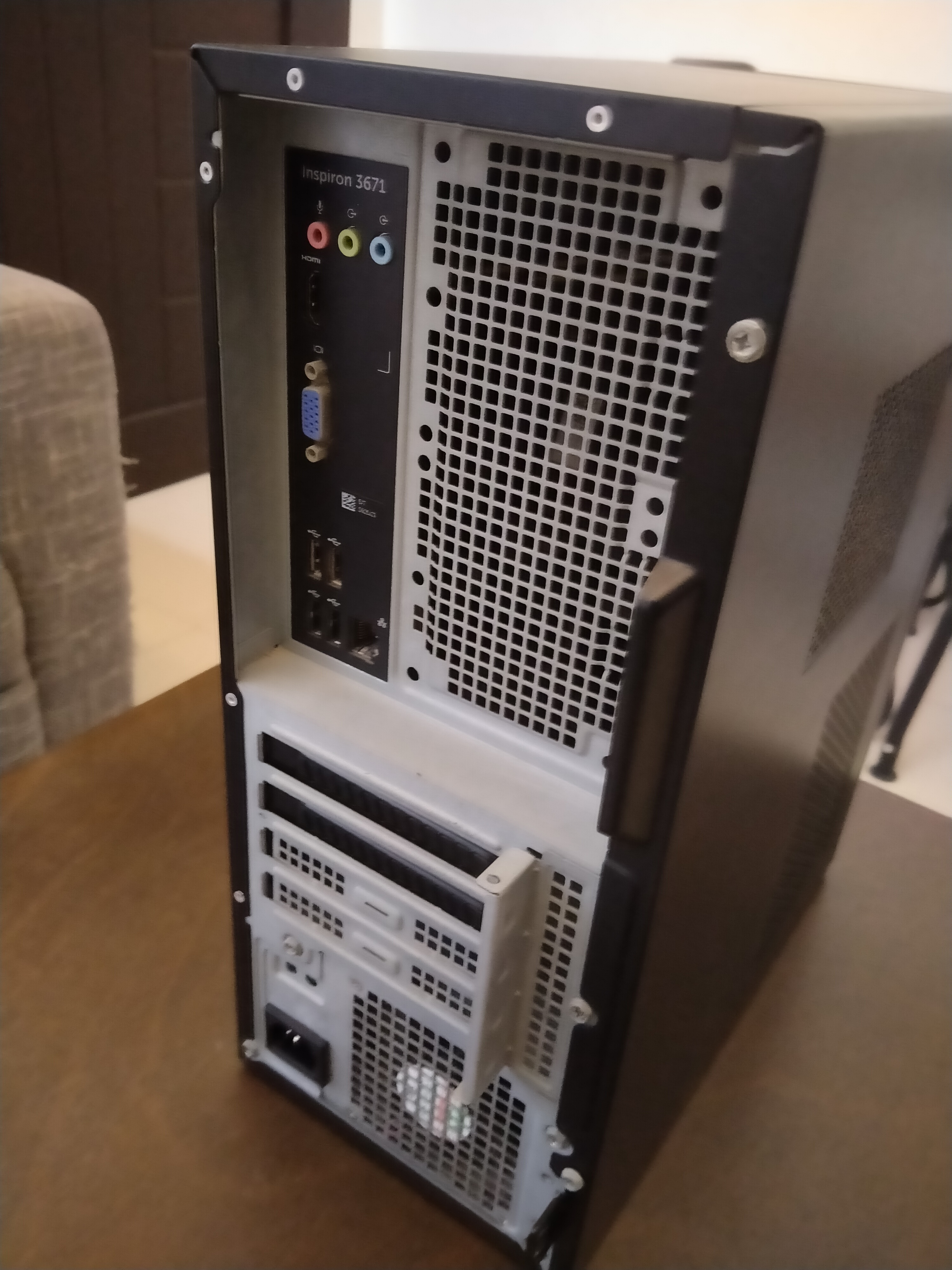
This is DELL INSPIRON 3671
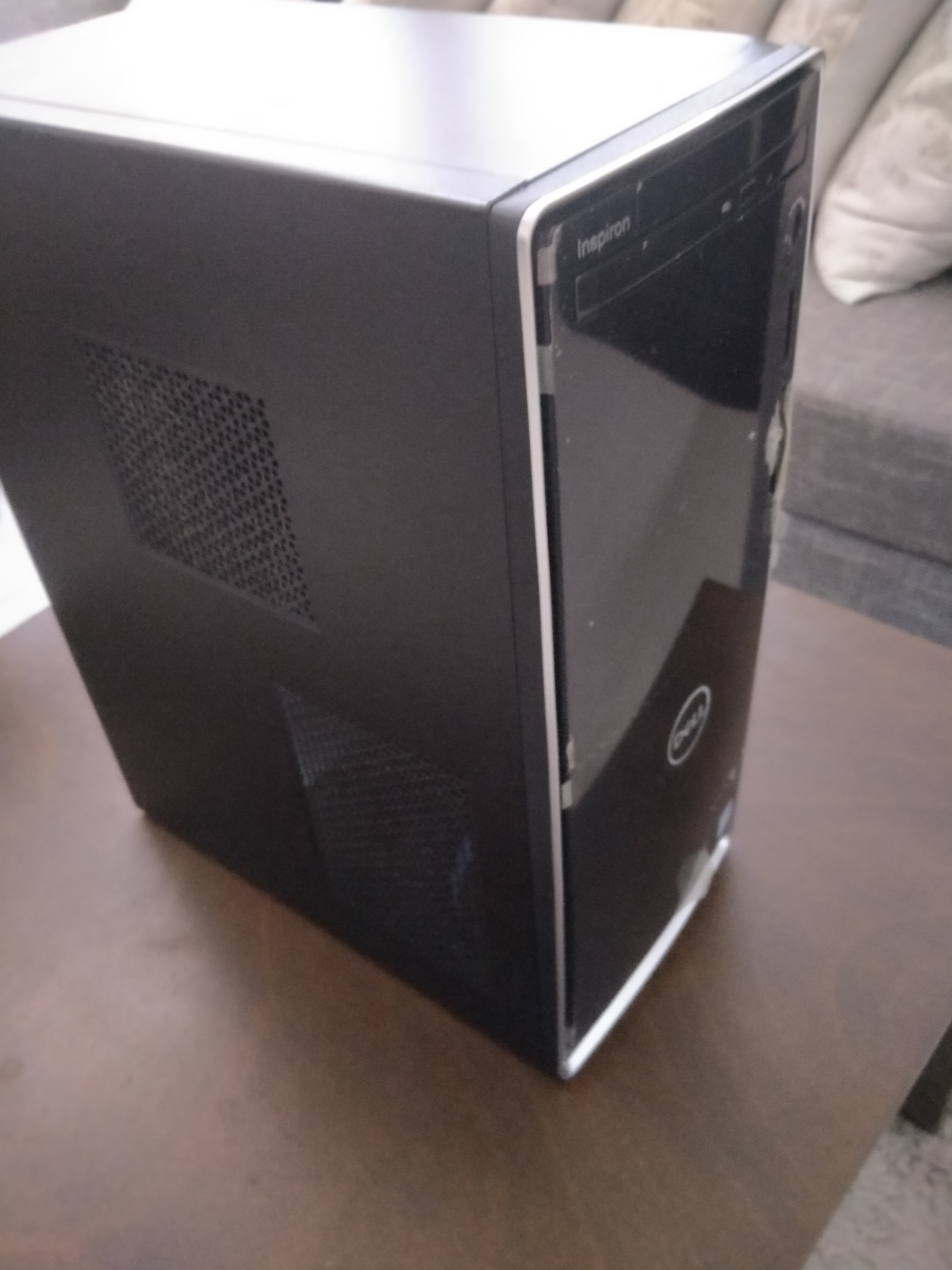
Still in a working condition, but things can fail, and I believe it would be safe to remove possible faulty components than keeping it on, it’s basically like removing one bad tooth and intermittent connection and freezing are toothache.
Case Removal #
We open the case at the back, I used phillips screwdriver 2 for it.
Please refer to https://dl.dell.com/topicspdf/inspiron-3671-desktop_Service-Manual_en-us.pdf page 15 on how to do so.
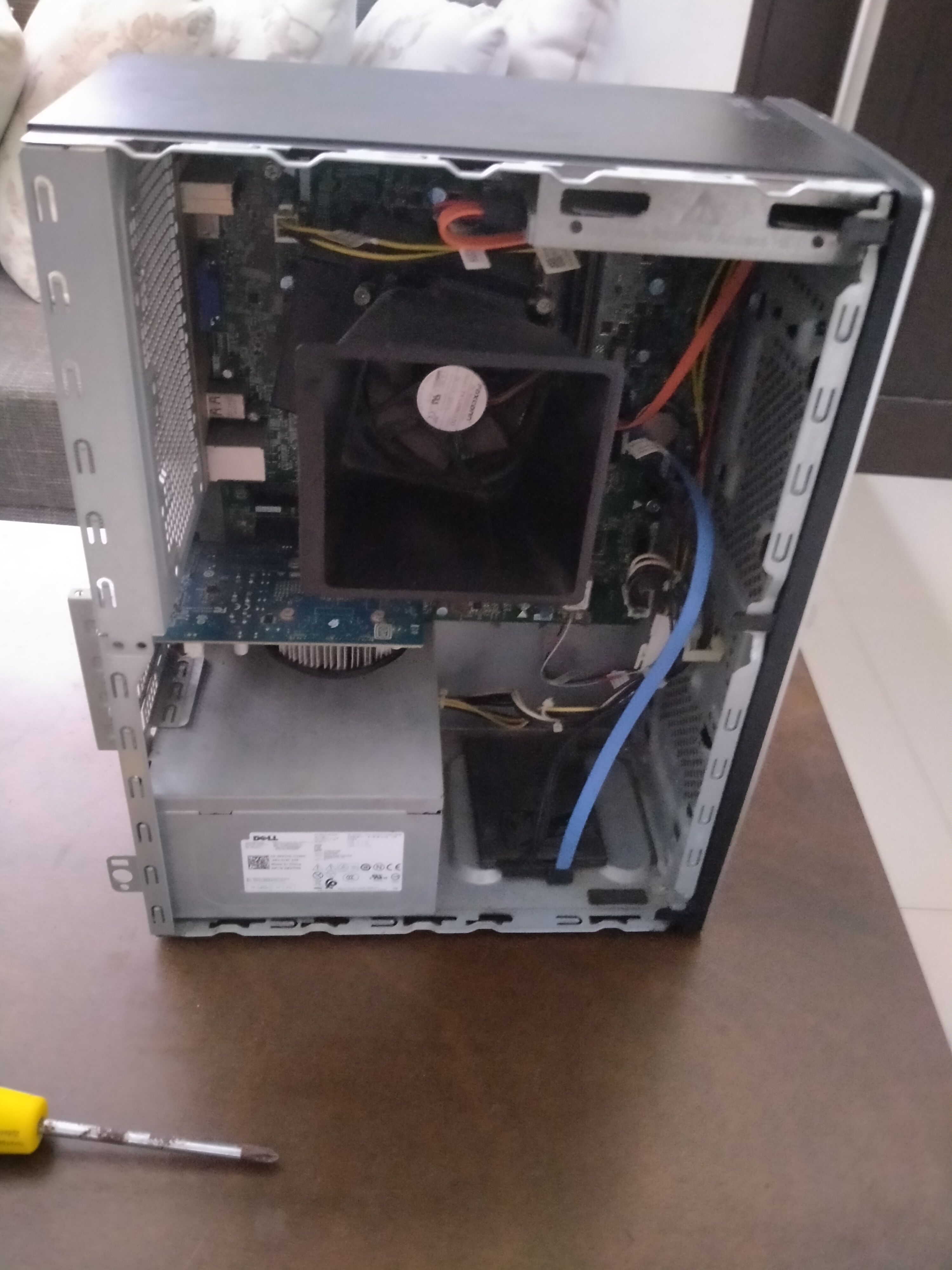
Graphics Card Removal #
Nowo this is the fun part
The first time attempting to remove this is a bit hard as you have to push the securing tab while pulling the graphics card attached to PCIe slot.
The graphics card is located below or next to the CPU fan
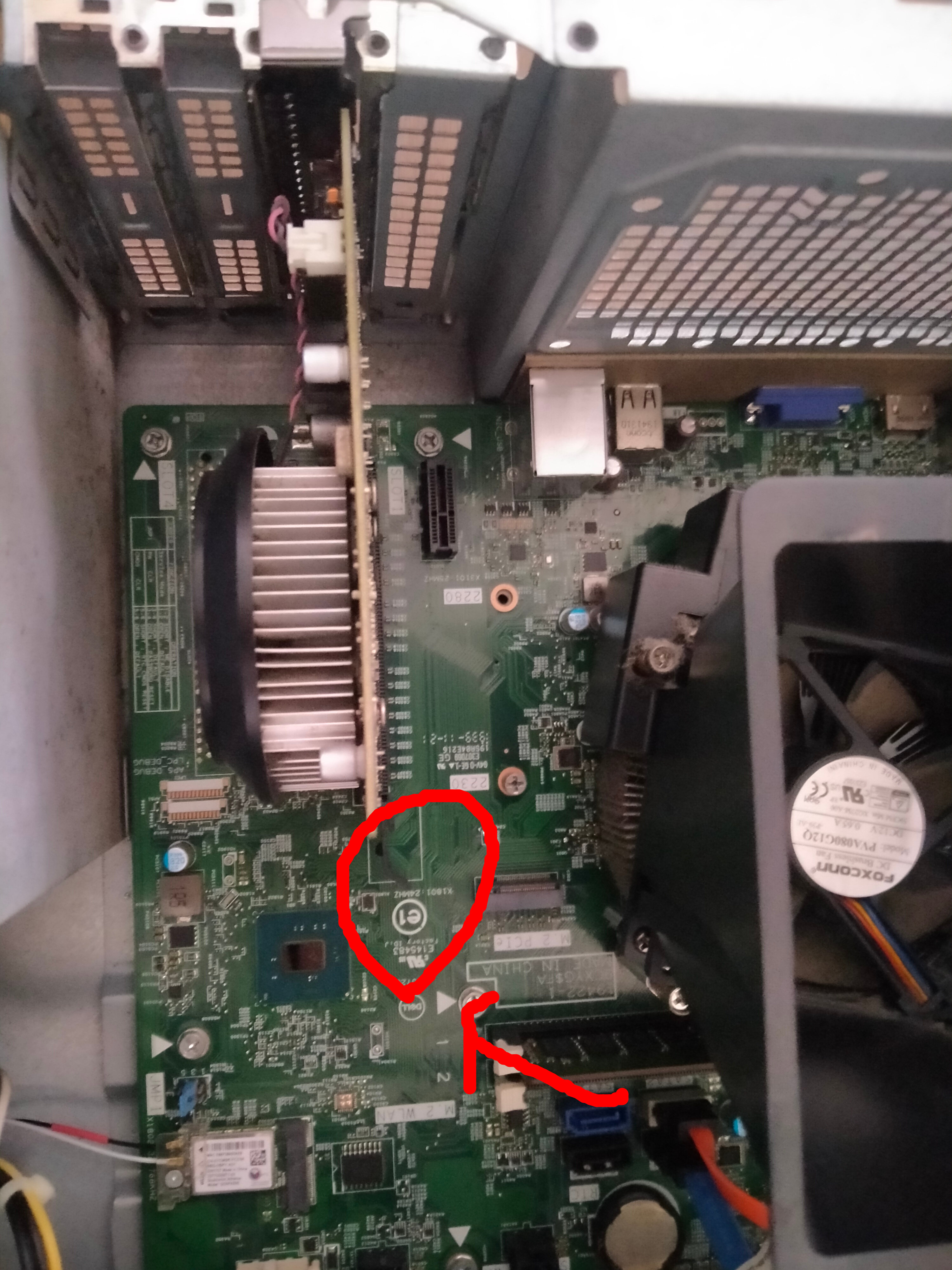
You can see the highlighted part of the image, is the securing tab.
See https://dl.dell.com/topicspdf/inspiron-3671-desktop_Service-Manual_en-us.pdf page 40
The safest way to do step 3 and 4, is lay the computer down flat, you hold the finger at the end of the tab, and push it towards the motherboard downwards while carefully and firmly pulling the graphics card towards you, you will feel a soft snap the sense of releasing the gpu.
Upon pulling the graphics card, this is how the default graphics card looks like, NVIDIA GeForce GTX 1650 (yeah it’s just a chip with a fan)
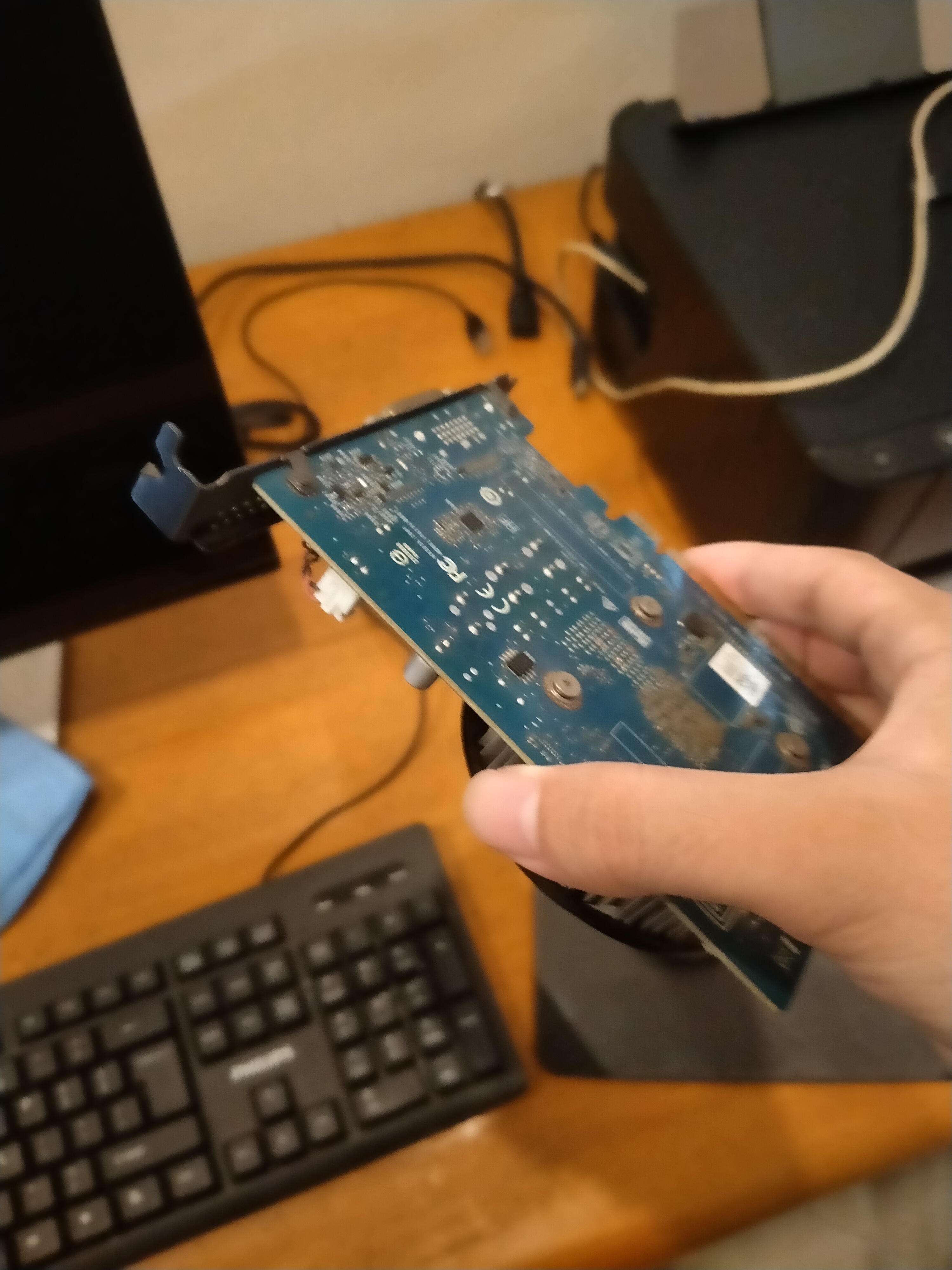
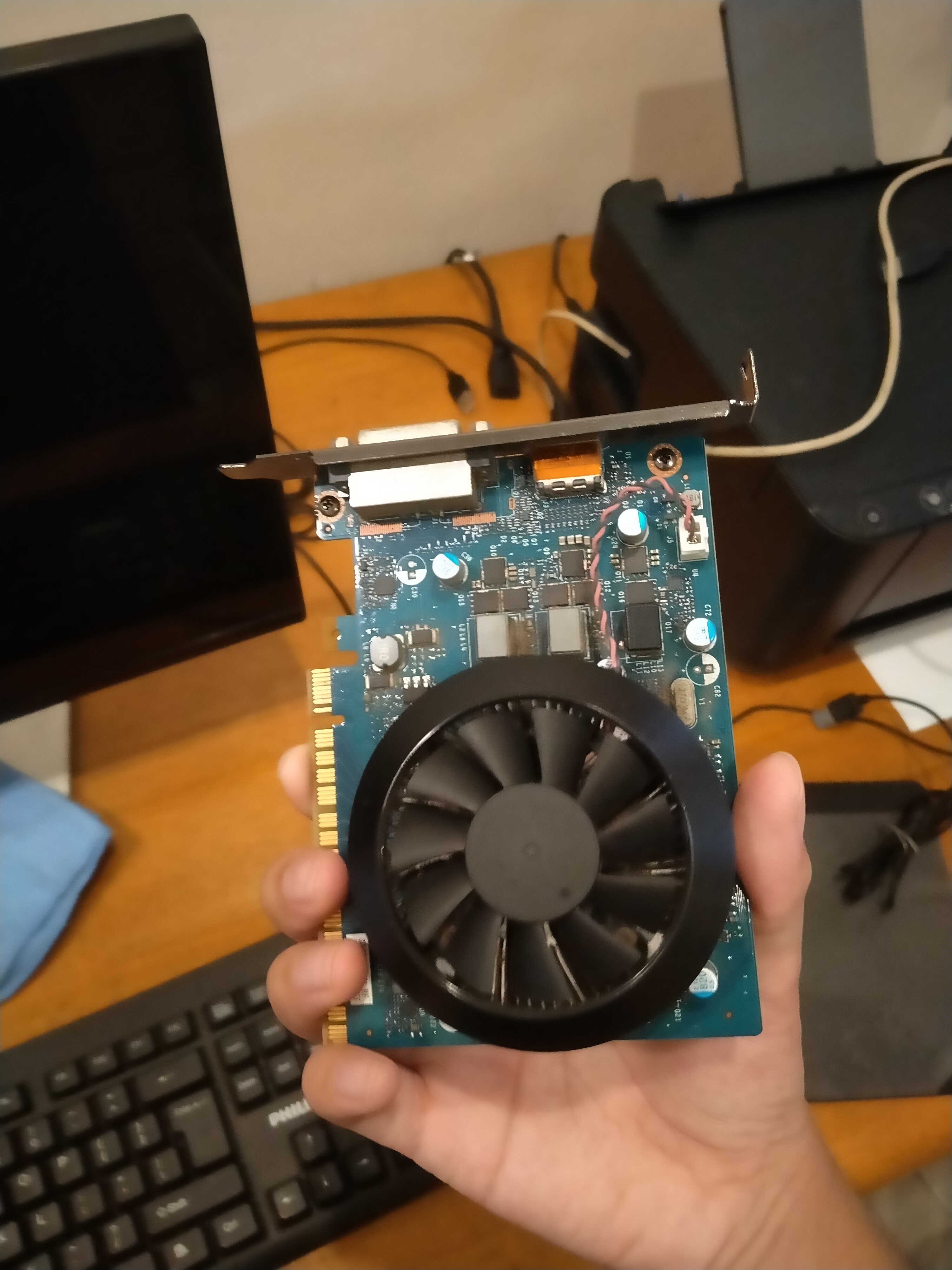
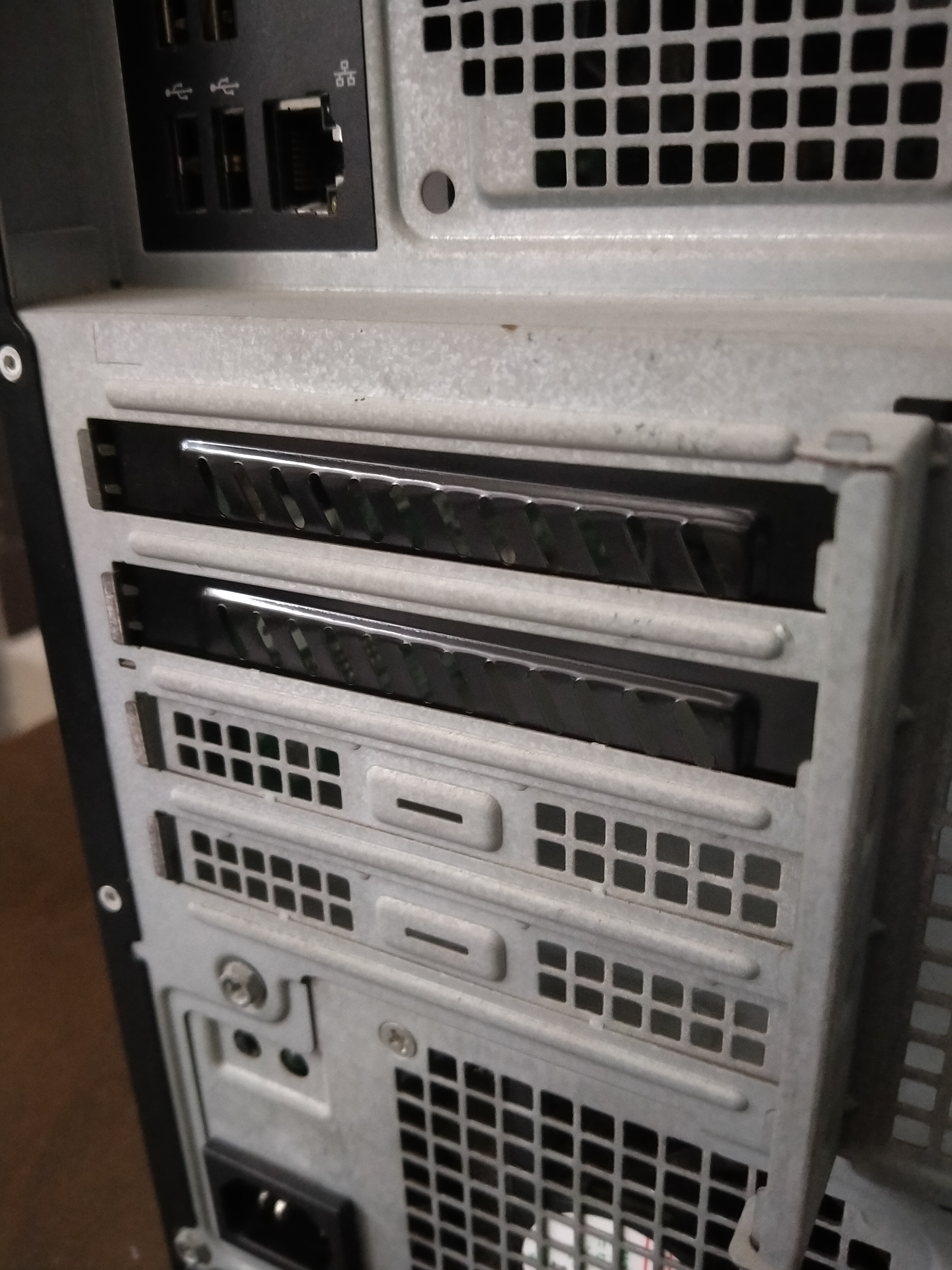
The end result looks like this
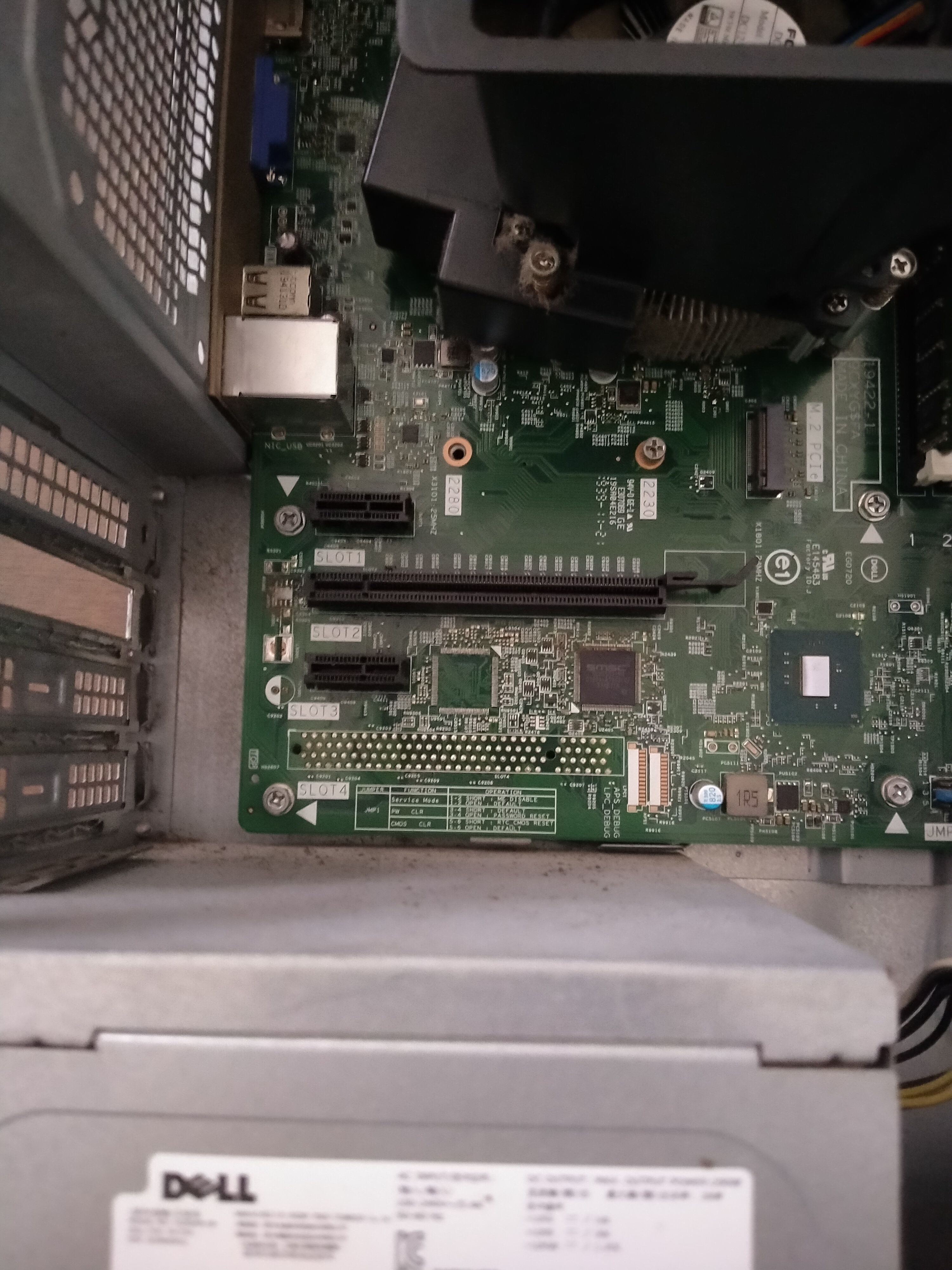
Closing the hole #
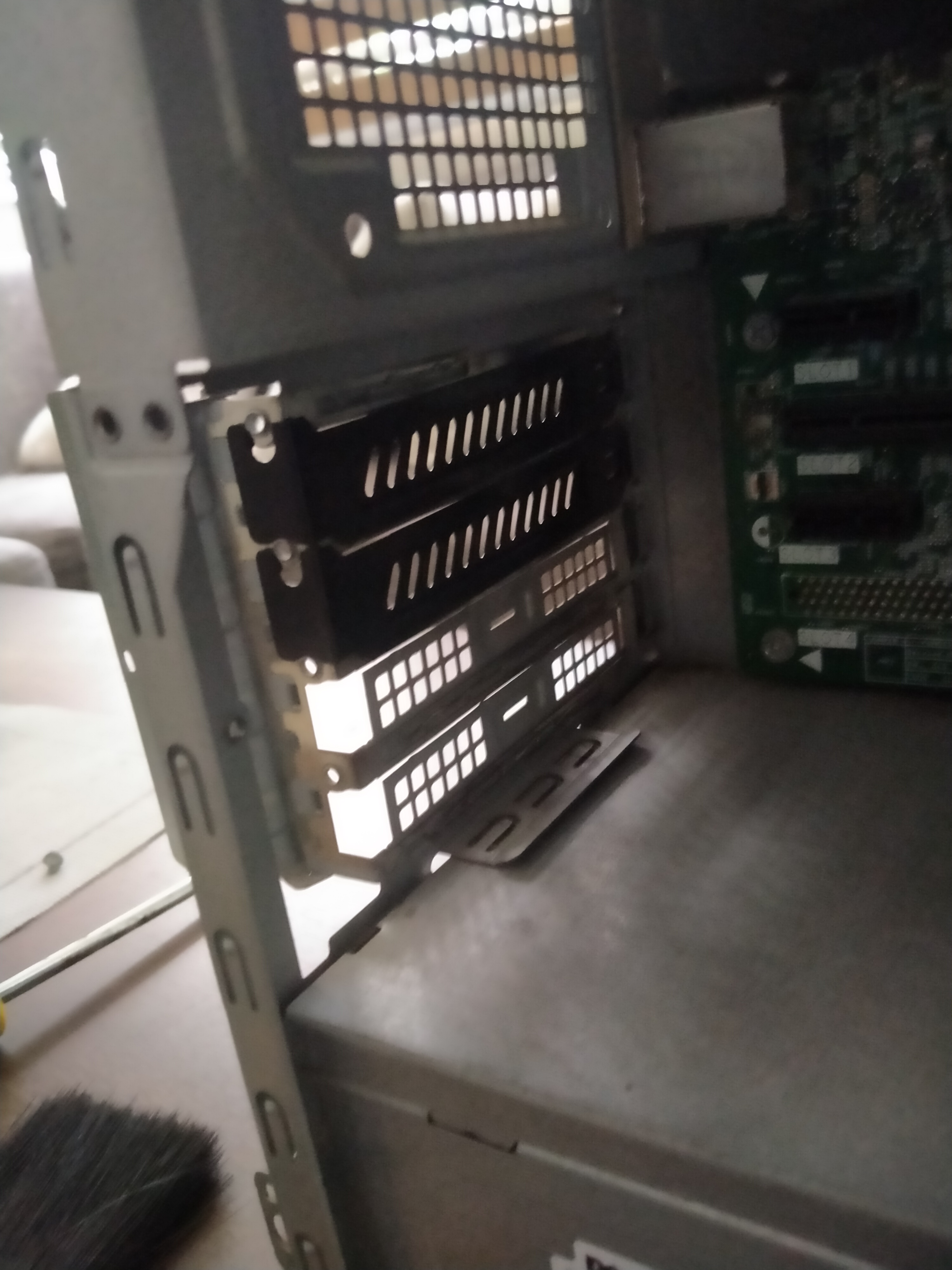
Since I don’t plan to install new dedicated graphics card yet, I attached with a new PCIe slot cover, usually you only need one, but I chosen two covering Slot 1 and Slot 2 and replacing ones provided by DELL.
In this case, it’s a black PCIe slot cover with slanted airflow holes.
Conclusion #
As of writing this blog on 24th August 2026 (same day I did this removal procedure). This blog is more like a log of my troubleshooting my computer with specific problem. Not step by step guide.
I still couldn’t figure out whether if this is PSU or faulty graphics card itself causes freezes or lock ups though trying to hotplug a PCIe slot on a live system that doesn’t support hotplugging does cause shorting and instant system shutdown which could trip the PSU, but hopefully if it doesn’t freeze for months or weeks straight, it means the culprit is likely the graphics card, possibly faulty and shorted if the dead card is still connected to live computer.
I also won’t plan to buy a replacement as I mostly use this computer as a general workstation for non-graphics tasks such as programming, office, web browsing, media.
In the meantime, and luckily since this is a desktop computer, both a PSU and graphics card replacement seems like a good strategy if I decide to add graphics card replacement. But for now, fingers crossed that my computer should be stable and should not further damage my system with the dead or zombie card attached.