

Introduction #
I use OBS Studio as a primary video recording tool, it works out of the box with Windows and works with integrated graphics out of the box (I believe Windows sets OBS to use iGPU by default which is known as Power Efficiency mode)
However it’s a bit different story on Linux, when you install OBS (assuming we use packaged versions), you are either presented with software based encoding or hardware based using AMD or NVENC, but not VAAPI.
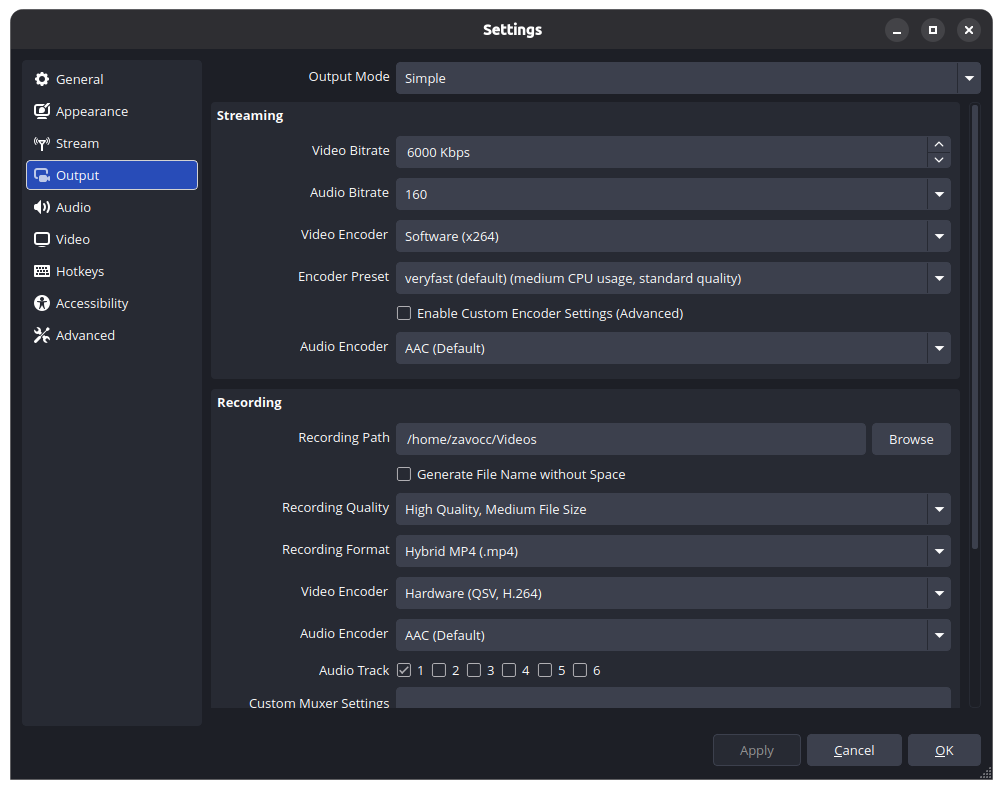
Here we can only choose two encoders
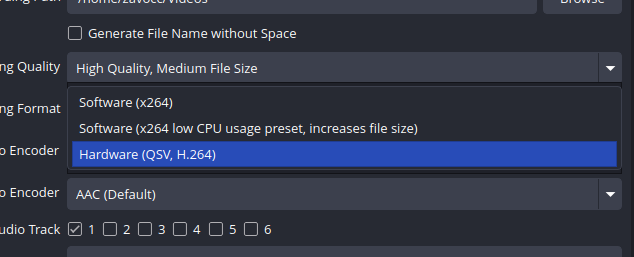
But if you’re using Intel integrated graphics cards, sadly you’d end up using software.
However the option for using VAAPI is quite hidden here, I don’t know why they also don’t offer this as an option but I assume it’s likely not all computers have equal hardware so putting VAAPI related dependencies wouldn’t make sense if you use QuickSync for example.
However without further ado, it only takes few steps to get this up and running.
Driver installation #
Depending on your configuration, I use Intel UHD 630 integrated graphics. On Ubuntu, I end up installing intel-media-va-driver-non-free using apt command. This should install VAAPI drivers for apps to take advantage on.
Your mileage may vary.
Configuring OBS #
After you install OBS, go back to settings:
You will see output mode set to “Simple”, change that to “Advanced”.
This is how “Advanced” looks like.
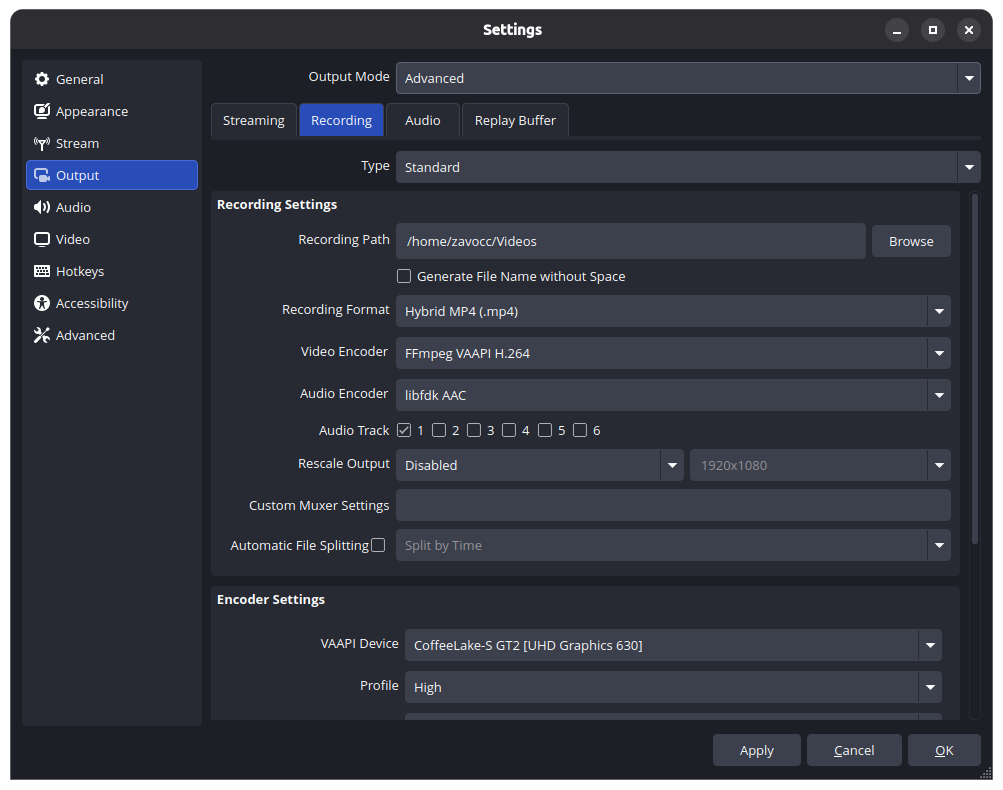
You then go to “Recording” tab, which you seen here on the screenshot.
From “Video Encoder” dropdown, choose “FFmpeg VAAPI H.264” or QuickSync option if your GPU supports one.
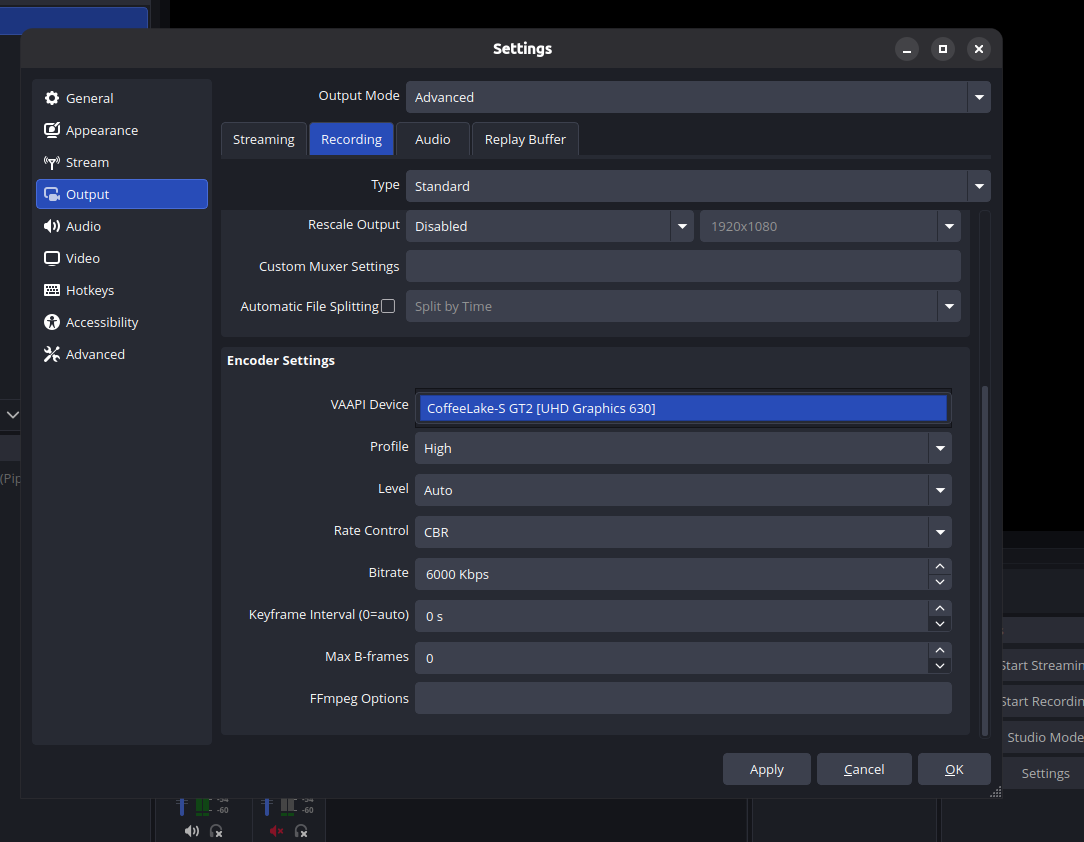
Optionally, if you have multiple graphics cards that uses VAAPI, you can also set VAAPI device in Encoder Settings section. Here I am using UHD Graphics 630 which is what I have on my computer.
Results #
Compared to using software, it does reduce the CPU usage, and you can record videos at 1080p60 max.
This is the video recording sample with Badger video being played on YouTube, it only took almost none of my CPU usage vs roughly 10%-15% of CPU when using software.
It is quite smooth so far but keep in mind unlike discrete GPUs, it does share with the main computer’s memory but should be relatively lower.